SMTP Setup (Email Delivery)
Configure SMTP so the system can send OTP, password reset, admin alerts, and other system emails. This page provides ready-to-use settings for Gmail, Mailtrap, Outlook / Microsoft 365, and SendGrid.
Overview
- 0 Common Fields
- 1 Gmail (SMTP)
- 2 Mailtrap (Testing)
- 3 Outlook / Microsoft 365
- 4 SendGrid (Production)
- 5 Troubleshooting
log first. Once confirmed, switch back
to smtp.
0 - Common SMTP Fields
Most providers use the same SMTP fields. Use this table to understand what each value means before applying provider-specific settings.
-
Mailer: Use
smtpfor production. Uselogfor local/dev testing. -
Host: SMTP server hostname
(example:
smtp.gmail.com). -
Port: Typically
587(TLS) or465(SSL). - Username: SMTP login (often your email address).
- Password: SMTP password (Gmail/M365 may require an App Password).
-
Encryption: Usually
tls. Usesslonly if required by provider. - From Email / From Name: Sender identity shown to users.
- Reply-To: Where replies should go (support email recommended).
- Timeout: SMTP timeout in seconds (default 30 is fine; raise to 60 on slow hosting).
tls + 587.
1 - Gmail (SMTP)
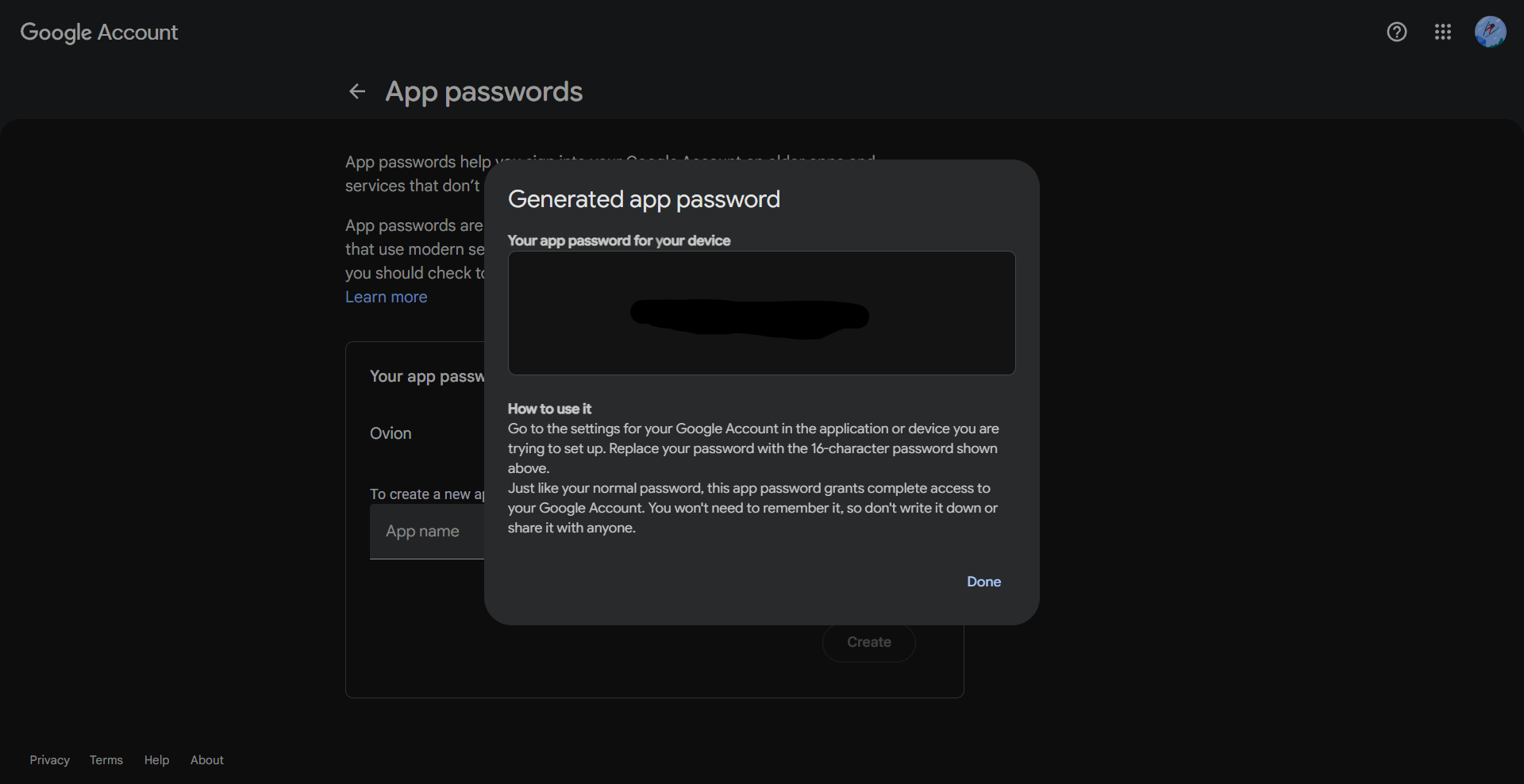
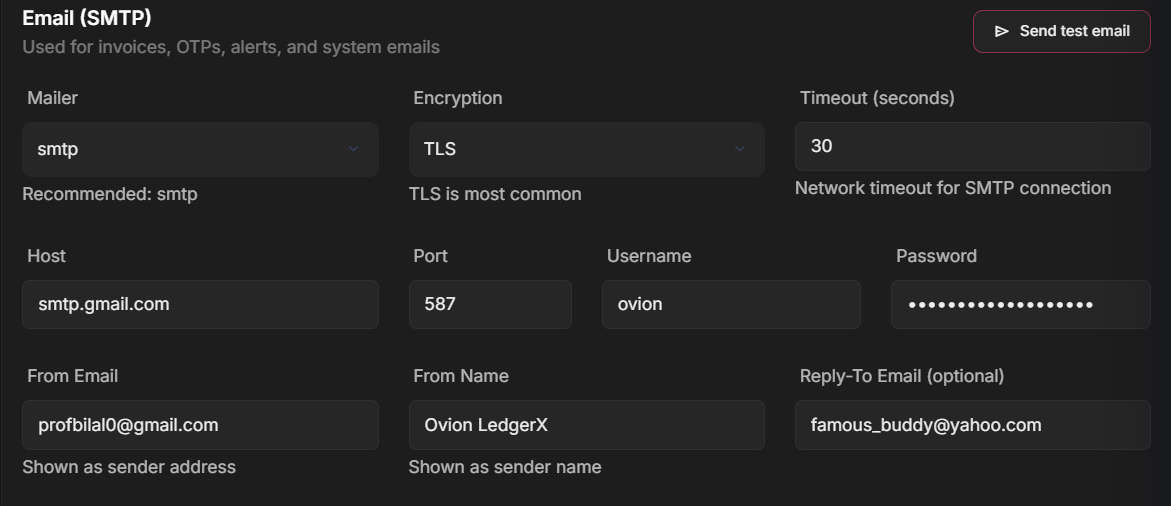
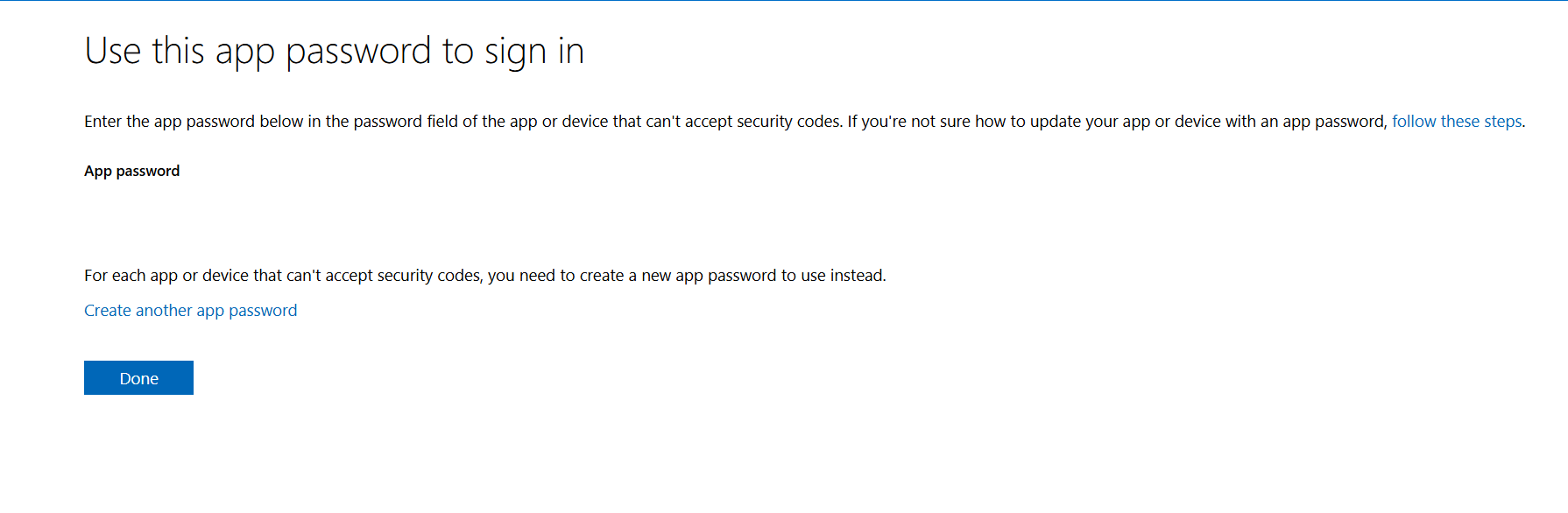
Gmail is a common choice, but it typically requires an App Password (recommended) instead of your normal Gmail password. Gmail or outlook both require enabling of two factor authentication adn then create app password is used for making a smtp app, which is further integrated into the site.
-
Host:
smtp.gmail.com - Port:
587 -
Encryption:
tls - Username: your@gmail.com
- Password: App Password, when u save the app the password is shown on the screen
2 - Mailtrap (Testing)
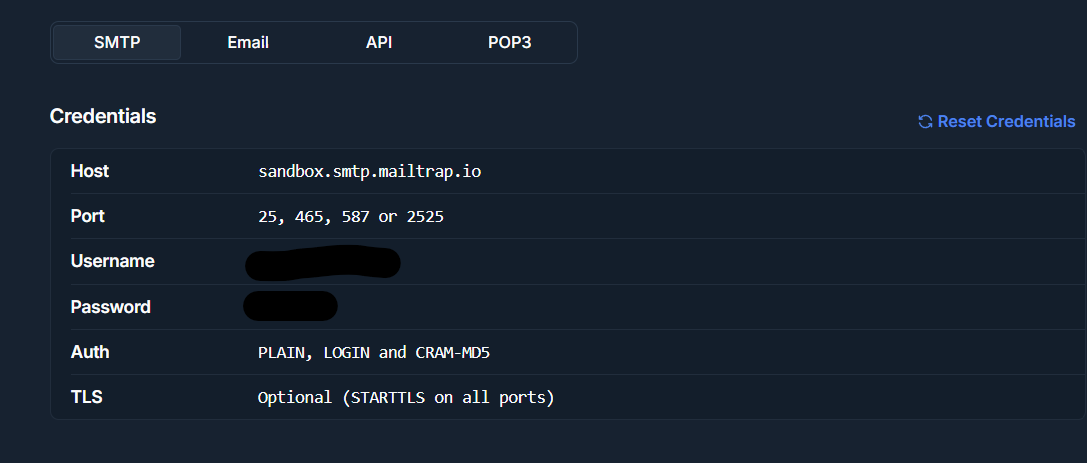
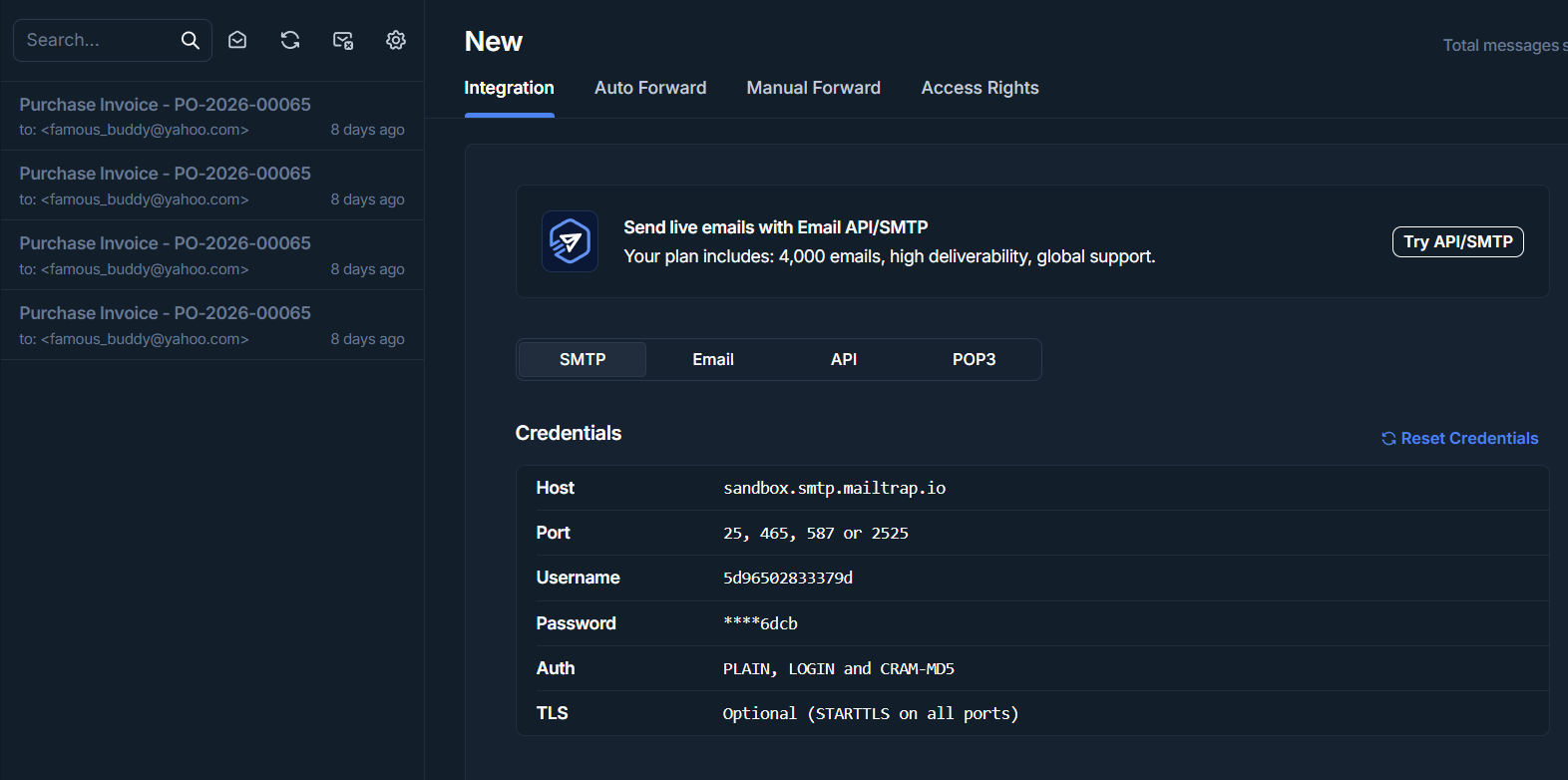
Mailtrap is best for development/staging. It captures emails in a sandbox inbox so you can test OTP and password reset safely.
-
Host:
smtp.mailtrap.io(or your Mailtrap SMTP host) -
Port:
2525(commonly) or as shown in Mailtrap -
Encryption:
tls - Username: Mailtrap username
- Password: Mailtrap password
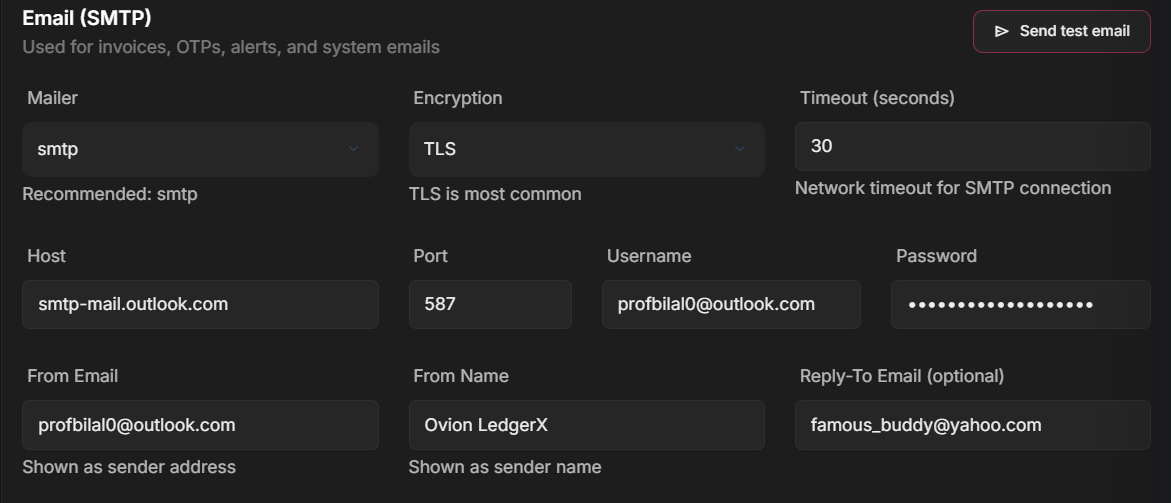
3 - Outlook / Microsoft 365
Microsoft 365 is common in business environments. Some tenants require the admin to enable SMTP Auth for the mailbox.
-
Host:
smtp.office365.com - Port:
587 -
Encryption:
tls - Username: your@domain.com
- Password: Mailbox password / App Password
4 - SendGrid (Production SMTP)
SendGrid is a production-grade transactional email
provider. It uses SMTP with a special username
(apikey) and your generated API key as the
password.
-
Host:
smtp.sendgrid.net - Port:
587 -
Encryption:
tls -
Username:
apikey - Password: SendGrid API Key
4 - Troubleshooting
- Test Email fails: confirm Host/Port/Encryption + Username/Password.
- Gmail auth error: use an App Password (2FA must be enabled).
- M365 auth error: SMTP Auth might be disabled by admin.
- Timeout: increase timeout (e.g., 60 seconds) on slow hosting.
- Sender rejected: use a valid From Email that your provider allows.